 Pervio

The coding agents
on your own Mac,
from your iPhone
Pervio is an iPhone app. It connects over SSH to your own Mac and drives the Claude Code, Codex and Cursor already installed there. A task keeps running when the phone locks or loses signal.
Public beta on TestFlight. Needs iOS 17 and a Mac. Open source, no account to create.

Main features
The three screenshots below are from one conversation.
-
Chat
On the Mac the agent reads files, runs commands and edits code, and each step is a row of its own in the conversation. Open an Edit to see the diff, a Bash to see the full command.
A conversation started in the terminal or the editor continues on the phone, and one started on the phone is there when you sit down again.
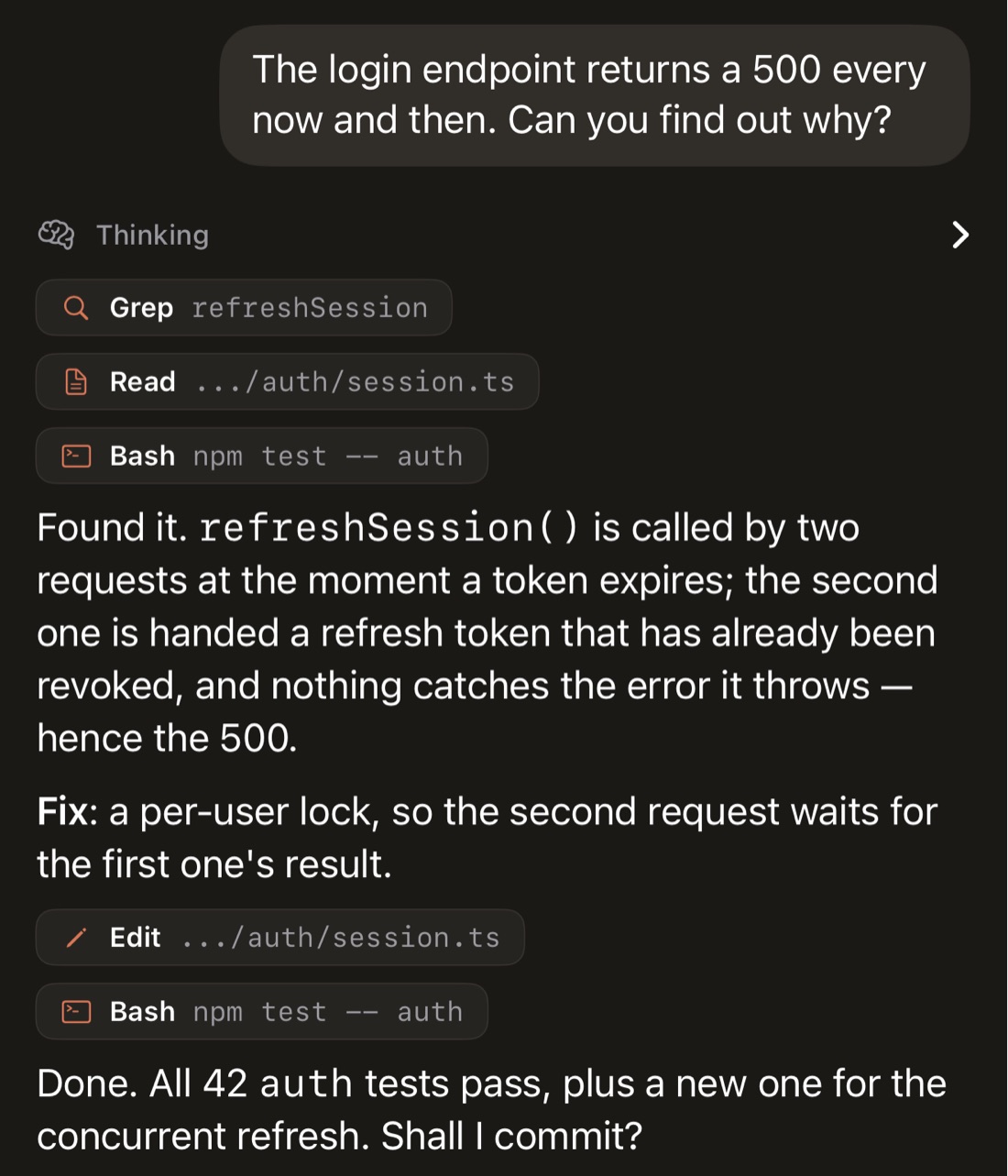
It looked in three places and found why the login endpoint sometimes returns a 500. -
Run mode
The task is a background process on the Mac. Locking the phone, switching to another app or losing the connection does not interrupt it. When you come back, the app reads on from where it stopped.
You can keep sending messages while the task runs; they go into the running turn (Claude Code and Codex). The commands and sub-agents it puts in the background itself show as one line above the composer.
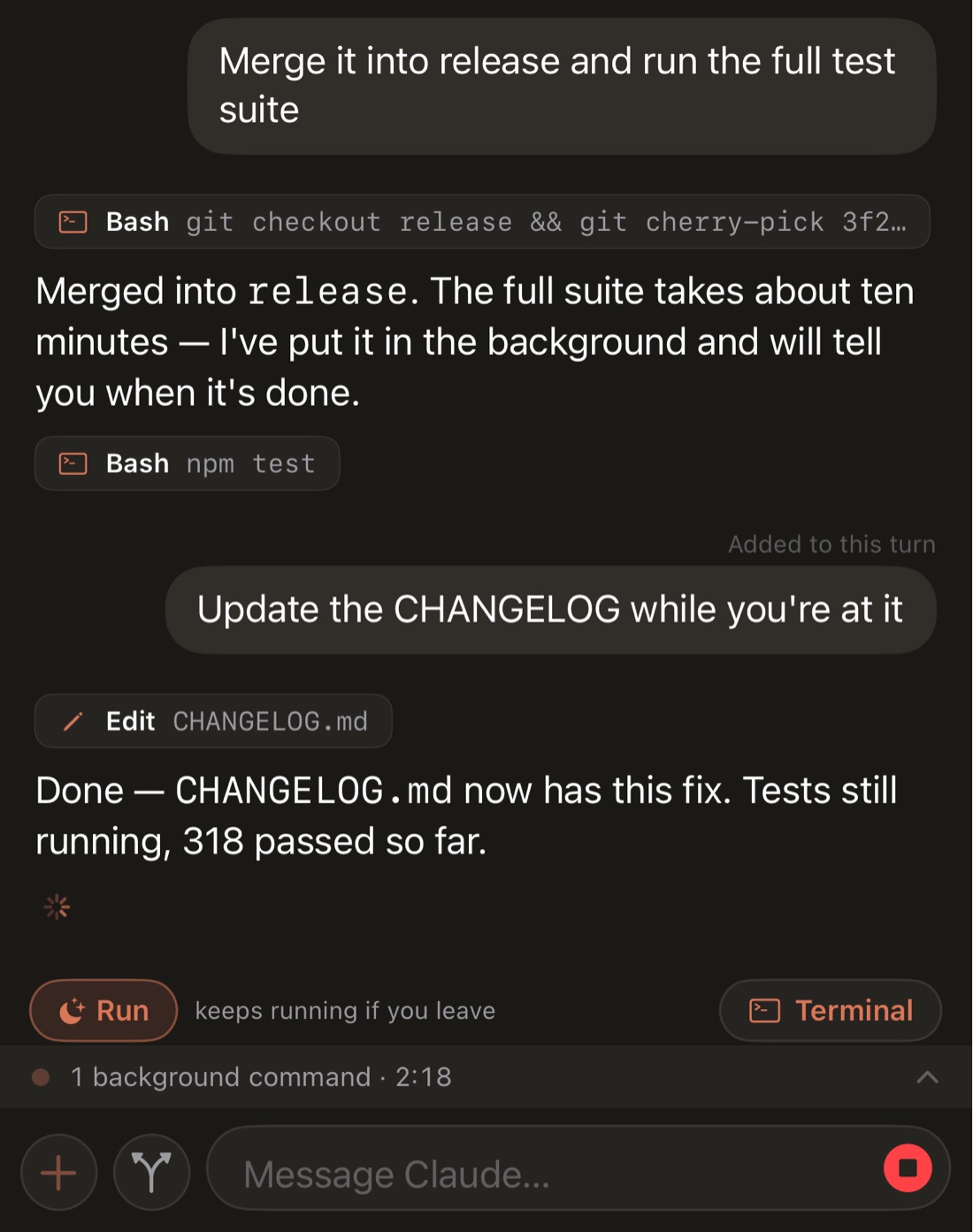
The full test suite running in the background, and a message sent midway. -
Approvals
When an agent wants to edit a file or run a command, it stops. The phone shows what it is about to do, and you tap Allow or Deny.
Permissions come in levels: ask every time, accept file edits automatically, or plan without acting. In plan mode it shows you the plan first and starts only after you agree.
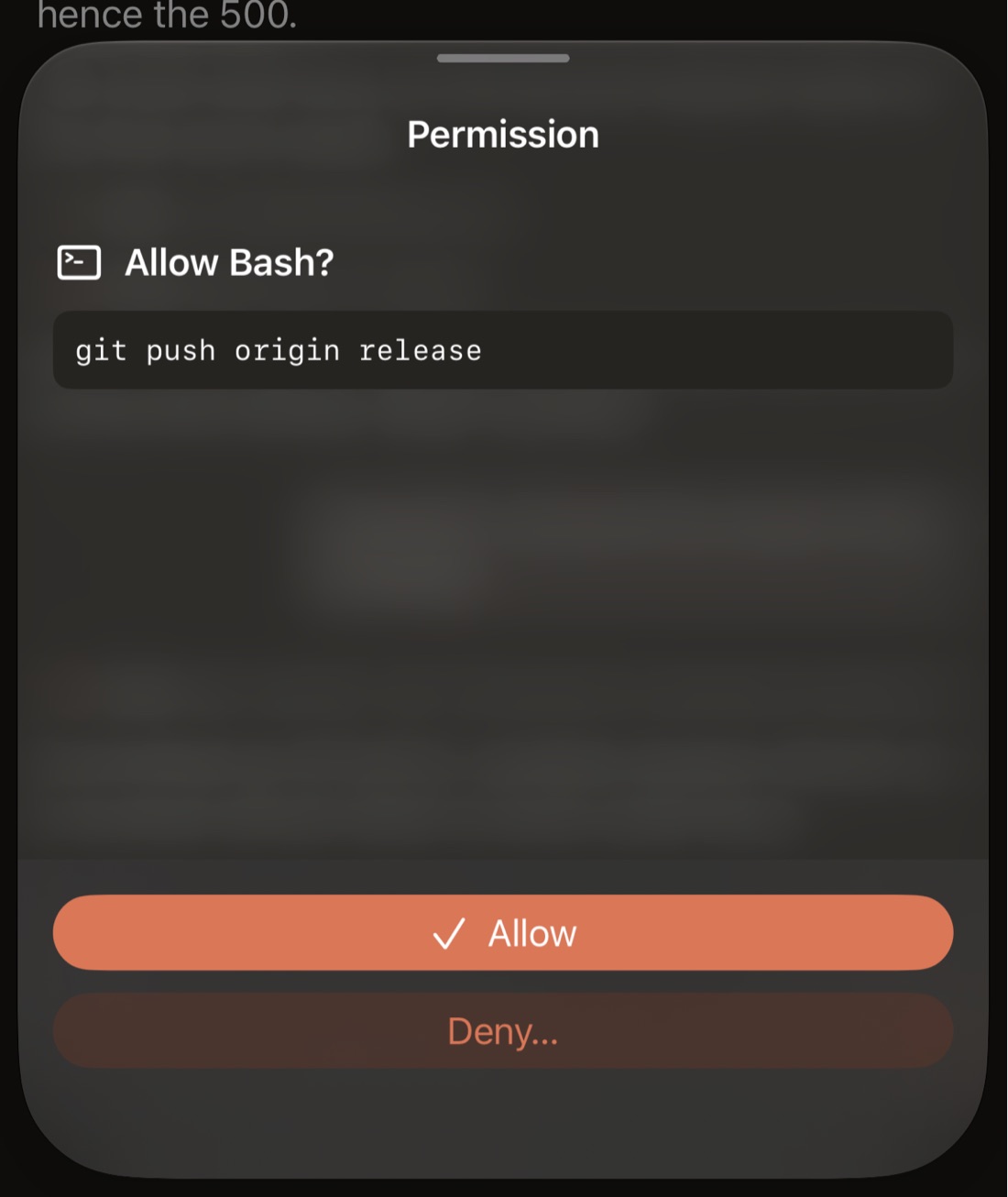
It wants to run git push, and stops to ask you first.


Lock screen and notifications
When a task is done, or waiting for your approval, the phone gets a notification. Progress shows in the Dynamic Island and on the lock screen.


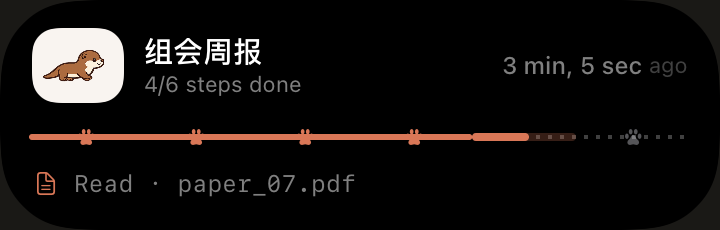
Other features
All of them use the same SSH connection, with nothing more to install on the Mac (the terminal needs tmux).
-
Engines and providers
Claude Code, Codex and Cursor: the copy already installed and logged in on your Mac. Third-party providers work too: GLM, Kimi, MiniMax, DeepSeek, Qwen, OpenRouter. Their API keys stay on the Mac.
-
Duet
Pair two conversations, usually on two different models. Brainstorm: both answer, and the main one reconciles the differences. Watch: one works and the other reviews, for up to three rounds, ending in one of three verdicts: pass, continue, needs you.
-
Web preview
Pages that listen only on the Mac's localhost, a dev server or a docs site, open on the phone. The traffic rides the SSH connection, so no port has to be exposed. A screenshot of the page can be attached to the conversation.
-
Terminal
tmux underneath. The session survives a dropped connection, and reconnecting brings back the same screen. tmux has to be installed on the Mac.
-
Files
You can attach photos from the library, files on the phone, files and folders on the Mac, and earlier conversations. Tap a file path in a reply and the file is fetched from the Mac.
-
Workflows
Multi-step pipelines that can run on a schedule. They finish on the Mac and deliver something you can read as it is. Two templates are included: a paper digest and a GitHub trending daily.
-
Several servers, jump hosts
Save several servers, and connect through jump hosts. Each machine's host key is pinned once you have checked it; if it ever differs, the connection is refused.
Your conversations stay on your Mac, not on any server of ours.
Every action on the phone is a command run on the Mac over SSH. There is no Pervio account and no Pervio server between your phone and your computer. The Mac runs no resident service and opens no port to the network.
- SSH keys and passwords are kept in the iOS Keychain.
- Conversation records are the CLIs' own files, and they stay on the Mac.
- Push notifications are the one thing that passes through us: the Mac hands the notification's text to a relay, which passes it to Apple. It can be turned off.
Pervio on the iPhone iOS app
- Chat, background tasks, approvals, terminal
- Keys in the iOS Keychain, host key pinned
Your Mac Remote Login (sshd)
~/.pervio/bin/pervio-*, shipped in the app, laid down on connectclaude,codex,agent, with your own logins- Session records and background-task output all stay on this machine
Push takes another route: from the Mac to push.pervio.dev, to Apple, and on to the phone. It carries the notification's text and nothing else.
Setup
-
Prepare the Mac
Turn on Remote Login in System Settings. Install at least one of Claude Code, Codex and Cursor, and log in.
-
Add the server on the phone
Install Pervio from TestFlight. Enter the Mac's address and user name, choose a key or a password, and check the host key's fingerprint.
-
Start a conversation
On the first connection the app lays its scripts down in
~/.pervio/binon the Mac. Nothing to install by hand.
When the two are not on the same network, install Tailscale on both the Mac and the iPhone; SSH never has to face the internet.
Full setup guideOpen source
The app, the scripts placed on the Mac and the push relay are all on GitHub under the MIT license. The security design and its known limits are written up in SECURITY.md.
ios/ | iPhone app (SwiftUI) |
|---|---|
server/bin/ | scripts placed on the Mac, shipped in the app |
server/gateway/ | push relay |
server/tests/ | server-side tests, all run in CI |
docs/ | setup and feature docs |
SECURITY.md | security design and limits |

Try it
In public beta on TestFlight, free. You need a Mac with Claude Code, Codex or Cursor installed.